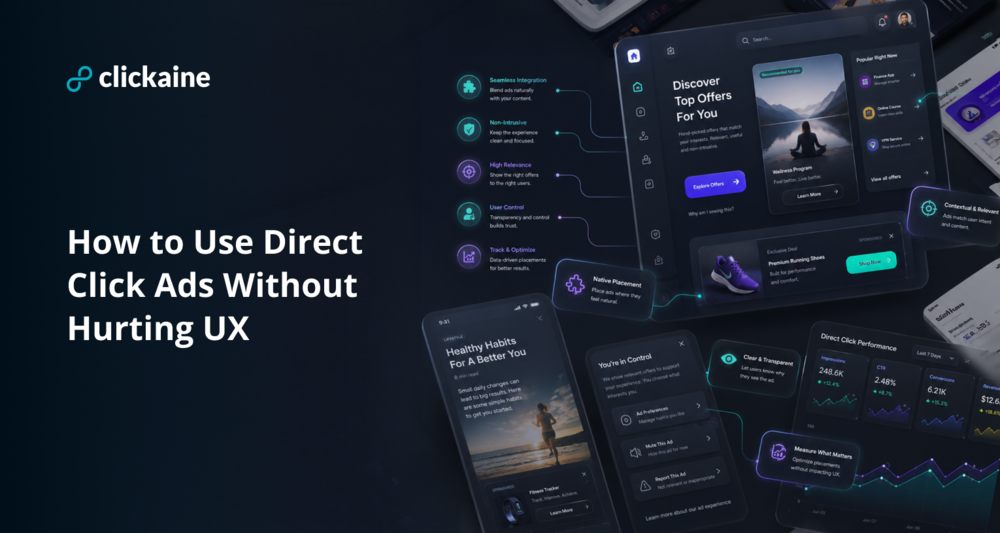
How to Use Direct Click Ads Without Hurting UX
Direct Click ads are one of the most powerful monetization formats for publishers. They are simple, high-impact, and capable of generating strong revenue even when traditional banner placements are limited or underperforming.
But there is one big question publishers often ask:
How do you use Direct Click ads without annoying users?
It is a fair concern. Any ad format that activates through user interaction needs to be handled carefully. When done right, Direct Click can monetize traffic efficiently while keeping the website experience smooth. When done wrong, it can feel too aggressive and hurt retention, trust, and long-term revenue.
The goal is not just to earn more from every visit. The goal is to earn more without making users want to leave.
Let’s break down how to use Direct Click ads in a smarter, cleaner, and more user-friendly way.
What Are Direct Click Ads?
Direct Click is an ad format where monetization is triggered when a user clicks on a specific area or element of a website. Instead of showing a visible banner or native ad block, the format works through the user’s natural interaction with the page.
This makes it different from traditional display advertising. The ad is not necessarily “seen” before the action. It is activated through engagement.
That is exactly why Direct Click can perform so well. It captures user intent at the moment of action. But it is also why UX matters so much.
If users feel tricked, interrupted, or forced into something they did not expect, the format can damage the experience. If the setup feels natural and controlled, it can become a very effective monetization layer.
Why Direct Click Works So Well
Direct Click ads are effective because they are connected to user behavior. Instead of waiting for someone to notice a banner, the format uses real interaction moments.
A user is already active. They are browsing, clicking, navigating, searching, or engaging with content. That makes the ad trigger more valuable than a passive impression.
For publishers, this creates several advantages.
Direct Click does not take up visible page space. It can work well on websites where the layout is already full or where adding more banners would make the page look overloaded. It can also generate revenue from users who ignore traditional display ads.
For advertisers, the traffic can be highly attractive because it comes from active user behavior rather than passive page views.
Still, performance should never come at the cost of trust. The best Direct Click strategy is not the most aggressive one. It is the one that finds the right balance between monetization and user comfort.
Direct Click vs Other Ad Formats
To understand where Direct Click fits best, it helps to compare it with other popular formats.
| Format | Visibility | UX Impact | Best For | Main Risk |
| Banner Ads | High | Low to medium | Brand awareness, steady impressions | Banner blindness |
| Native Ads | Medium | Low | Content-based monetization | Requires good placement and relevance |
| Popunder | High | Medium to high | Fast reach and volume monetization | Can feel aggressive if overused |
| Push Ads | Medium | Medium | Re-engagement and repeat traffic | Requires permission and good timing |
| Direct Click | Invisible before action | Depends on setup | Intent-based monetization | Can harm UX if triggered too often |
The key difference is control. With banners or native ads, the user can see the ad before interacting with it. With Direct Click, the trigger happens through behavior, so publishers need to be extra thoughtful about where, when, and how often it appears.
Used carefully, Direct Click can feel like a background monetization tool. Used carelessly, it can feel like a trap.
The UX Problem: It Is Not the Format, It Is the Setup
Many publishers worry that Direct Click automatically hurts UX. In reality, the format itself is not the problem. The problem is usually poor implementation.
Direct Click becomes annoying when it interrupts users too early, triggers too often, or appears in moments where the user expects something else to happen immediately.
Imagine a user visiting your website for the first time. They click on the menu, and instead of navigating smoothly, an ad opens right away. Then they try to click another element, and it happens again. At that point, the user is no longer browsing your content. They are fighting the website.
That is exactly what you want to avoid.
Now imagine a different setup. The ad trigger happens only after the user has spent some time on the page, only once per session, and not on critical navigation buttons. The experience feels much less disruptive, while the publisher still monetizes active traffic.
Same format. Very different result.
The Golden Rule: Do Not Monetize Every Click
One of the biggest mistakes publishers make with Direct Click is trying to monetize every possible interaction.
It sounds logical at first. More triggers should mean more revenue, right? Not always.
Too many triggers can increase short-term revenue but reduce long-term value. Users leave faster, return less often, and trust the site less. That means fewer pageviews, fewer sessions, and lower lifetime revenue.
A better approach is selective monetization.
Think of Direct Click like seasoning. A little can improve the whole dish. Too much ruins it.
| Strategy | Short-Term Revenue | User Experience | Long-Term Result |
| Trigger on every click | High at first | Poor | Lower retention |
| Trigger randomly without limits | Unstable | Confusing | Weak trust |
| Trigger once per session | Balanced | Acceptable | More sustainable |
| Trigger after engagement | Strong | Better | Best long-term potential |
| Trigger only on low-risk areas | Moderate | Clean | Stable revenue |
The most profitable setup is often not the most aggressive one. It is the one users can tolerate without changing their behavior negatively.
Best Moments to Trigger Direct Click
Timing is everything.
A Direct Click trigger should happen when the user is already engaged, not when they are still deciding whether your website is worth their time.
A first-click trigger can be risky. If the user has just landed on the page and immediately gets redirected or interrupted, they may bounce before consuming any content. That hurts both UX and future monetization.
A better approach is to wait for signs of engagement.
For example, a user who has scrolled, spent time on the page, opened another article, or interacted with content is more likely to tolerate an ad interaction. They have already received some value from the site.
Here is a simple way to think about it:
| User Moment | Direct Click Suitability | Why |
| First second after landing | Low | User has not built trust yet |
| First click on navigation | Low | Can feel misleading |
| After scrolling | Medium | User has shown interest |
| After time on page | High | User is already engaged |
| After second pageview | High | User has stronger intent |
| On exit-like behavior | Medium | Can monetize before leaving |
The more value the user receives before the ad trigger, the less disruptive the ad feels.
Where Not to Use Direct Click
Some website areas are sensitive. Monetizing them too aggressively can quickly damage user experience.
Avoid placing Direct Click triggers on essential navigation elements such as menus, login buttons, search fields, checkout buttons, video play buttons, or anything users rely on to complete an important action.
These areas create strong expectations. When users click “search,” they expect to search. When they click “login,” they expect to log in. If an ad appears instead, it feels like the site is broken or deceptive.
Direct Click works better on lower-risk interaction zones, especially where the user is browsing rather than completing a critical task.
| Website Area | Recommended? | Reason |
| Main menu | Not ideal | Can disrupt navigation |
| Search bar | Avoid | High user intent, high frustration risk |
| Login/signup buttons | Avoid | Trust-sensitive area |
| Checkout/payment flow | Never | Can damage conversions and credibility |
| Article body clicks | Possible | Depends on setup |
| Non-critical page areas | Better | Lower frustration risk |
| After-content areas | Good | User has already consumed value |
| Secondary interactions | Good | Less disruptive |
A simple rule: never monetize clicks that users consider essential.
Frequency Capping Is Your Best Friend
If there is one setting that can protect UX the most, it is frequency capping.
Without frequency caps, even a good Direct Click setup can become annoying. A user may trigger ads multiple times in one session, which quickly turns a monetized experience into a frustrating one.
Frequency capping keeps the format under control.
For many publishers, a good starting point is:
| Traffic Type | Suggested Frequency |
| New visitors | 1 trigger per session |
| Returning visitors | 1 trigger per 24 hours |
| Highly engaged users | 1–2 triggers per session, tested carefully |
| Mobile users | More conservative limits |
| Desktop users | Slightly more flexible |
This is not a universal formula, but it is a safe starting point. The right frequency depends on your audience, content type, session length, and traffic source.
For example, entertainment websites with fast browsing behavior may tolerate slightly higher frequency. Educational, finance, or utility websites usually need a softer approach because user trust is more important.
New Visitors vs Returning Visitors
Not all users should see the same monetization setup.
New visitors and returning visitors behave differently, so your Direct Click strategy should reflect that.
New users are less familiar with your website. They are more reactive, but also more likely to leave if something feels annoying. Returning users already know your content and may be more tolerant, but they are also better at noticing aggressive monetization patterns.
| Factor | New Visitors | Returning Visitors |
| Trust level | Low | Higher |
| Curiosity | High | Medium |
| Ad tolerance | Medium | Lower if overused |
| Best approach | Monetize carefully after engagement | Use lower frequency and softer timing |
| Main risk | Early bounce | Long-term fatigue |
A useful lifehack: do not trigger Direct Click immediately for new users. Let them scroll, read, or click naturally first. For returning visitors, keep frequency lower to protect loyalty.
This segmentation alone can make a big difference. Instead of treating every session the same, you adjust monetization based on user relationship.
Mobile UX Needs Extra Care
Direct Click can perform very well on mobile traffic, but mobile UX is more fragile.
On desktop, users have more screen space, clearer navigation, and easier control. On mobile, every tap matters. Accidental clicks are more common, and interruptions feel more personal because the screen is smaller.
That means mobile Direct Click should be more conservative.
Avoid triggers near sticky navigation, close buttons, form fields, or areas where users naturally tap while scrolling. Be especially careful with pages that have video players, galleries, or interactive elements.
Mobile users are quick to leave if the experience feels messy.
A good mobile setup usually includes:
| Setting | Safer Mobile Approach |
| Trigger timing | After scroll or time on page |
| Frequency | Lower than desktop |
| Placement | Away from navigation and forms |
| First-click trigger | Usually avoid |
| Testing | Monitor bounce rate closely |
The best mobile Direct Click setup feels almost invisible. It monetizes without making the user feel blocked.
How to Test Direct Click Without Risking Your Whole Website
One of the smartest ways to start with Direct Click is to test it gradually.
Do not launch it across all traffic at maximum settings from day one. Start with a limited segment, measure the impact, then scale.
A good test plan might look like this:
| Test Stage | What to Do | What to Watch |
| Stage 1 | Enable Direct Click on 10–20% of traffic | Revenue uplift, bounce rate |
| Stage 2 | Test frequency caps | Session length, repeat visits |
| Stage 3 | Compare new vs returning users | Retention and RPM |
| Stage 4 | Test desktop and mobile separately | UX signals by device |
| Stage 5 | Scale best-performing setup | Long-term revenue stability |
The key is to look beyond revenue.
Yes, RPM matters. But you should also watch bounce rate, pages per session, session duration, return visits, and complaints if you collect user feedback.
A setup that increases revenue by 20% but reduces returning users by 40% may not be a win. A setup that increases revenue by 10% while keeping engagement stable is often much better.
Lifehacks for Better Direct Click Performance
Direct Click optimization is not only about technical settings. Small strategic changes can make the format much more effective.
One useful trick is to combine Direct Click with content depth. For example, instead of triggering on the first interaction, trigger only after the user reaches 30–50% scroll depth. This means the user has already shown interest.
Another smart move is to separate traffic sources. Users from search may behave differently from users coming from social media or referral links. Search users often arrive with stronger intent, while social users may browse faster and leave sooner. Testing these segments separately helps you avoid one-size-fits-all mistakes.
You can also use Direct Click more carefully on pages with high retention value. If a page attracts loyal readers, do not overload it. If a page gets mostly one-time viral traffic, you may be able to monetize a little more actively.
Here is a practical example:
| Page Type | Recommended Direct Click Strategy |
| Viral article | More flexible monetization |
| Evergreen SEO article | Balanced setup |
| Homepage | Conservative approach |
| Login/account page | Avoid |
| Product or checkout page | Avoid |
| Entertainment content | Stronger testing potential |
| Educational content | Softer timing |
The best publishers do not ask, “How much can I monetize this user right now?”
They ask, “How much can I monetize without stopping this user from coming back?”
That mindset leads to better results.
How to Know If Direct Click Is Hurting UX
The danger with Direct Click is that revenue can go up while user satisfaction quietly goes down.
That is why you need to monitor warning signs.
If bounce rate suddenly increases after enabling Direct Click, the trigger may be too early or too frequent. If session duration drops, users may be leaving before consuming content. If returning visitor rate declines, your setup may be too aggressive over time.
Here are the main signals to track:
| Metric | What It Can Tell You |
| Bounce rate | Whether users leave too quickly |
| Session duration | Whether users still consume content |
| Pages per session | Whether navigation remains healthy |
| Returning visitor rate | Whether monetization affects loyalty |
| Revenue per session | Whether monetization is actually improving value |
| Complaints or feedback | Whether users notice disruption |
Do not judge Direct Click only by first-day performance. Look at trends over several days or weeks. Some aggressive setups look great immediately but slowly damage user behavior.
Sustainable monetization should improve revenue without destroying engagement.
The Best Direct Click Strategy: Balanced, Not Aggressive
The most successful Direct Click setups usually follow the same pattern:
- They do not trigger immediately.
- They do not trigger everywhere.
- They do not treat every user the same.
- They do not ignore UX metrics.
Instead, they use timing, segmentation, frequency caps, and testing.
Direct Click should feel like an additional monetization layer, not the main obstacle between the user and your content.
A balanced strategy might look like this:
| Element | Recommended Approach |
| Timing | After engagement, not instantly |
| Frequency | Limited per session or per day |
| Placement | Avoid critical navigation and forms |
| Segmentation | Different rules for new and returning users |
| Device strategy | More conservative on mobile |
| Optimization | Track both revenue and UX metrics |
This is how publishers can increase earnings while keeping the website usable, trustworthy, and scalable.
Final Thoughts
Direct Click ads can be a strong revenue driver, but they work best when they are used with intention.
The goal is not to squeeze every possible click. The goal is to monetize attention at the right moment, in the right place, with the right limits.
Users do not hate ads simply because they exist. They dislike ads that interrupt, confuse, or prevent them from doing what they came to do.
When Direct Click is configured carefully, it can help publishers increase revenue without filling the page with extra banners or damaging the visual experience. It gives you a way to monetize active user behavior while keeping your layout clean.
The secret is balance.
Use Direct Click after users engage. Limit how often it appears. Protect important navigation areas. Test different rules for different segments. And always measure UX together with revenue.
Because the best monetization strategy is not the one that earns the most today.
It is the one users can tolerate tomorrow — and the one that keeps growing over time.